· Student Affairs Team · Student Resources · 4 min read
E-Kampüs: How to Pay at the YTÜ Cafeteria with Yapı Kredi or the Joker Card
YTÜ's cafeterias, pool and gym now take payments through E-Kampüs. This guide shows how to activate it in the Yapı Kredi app step by step, how to get every fifth meal free, and how to get and top up a Joker card if you can't open a Yapı Kredi account.
🍽️ What Changed?
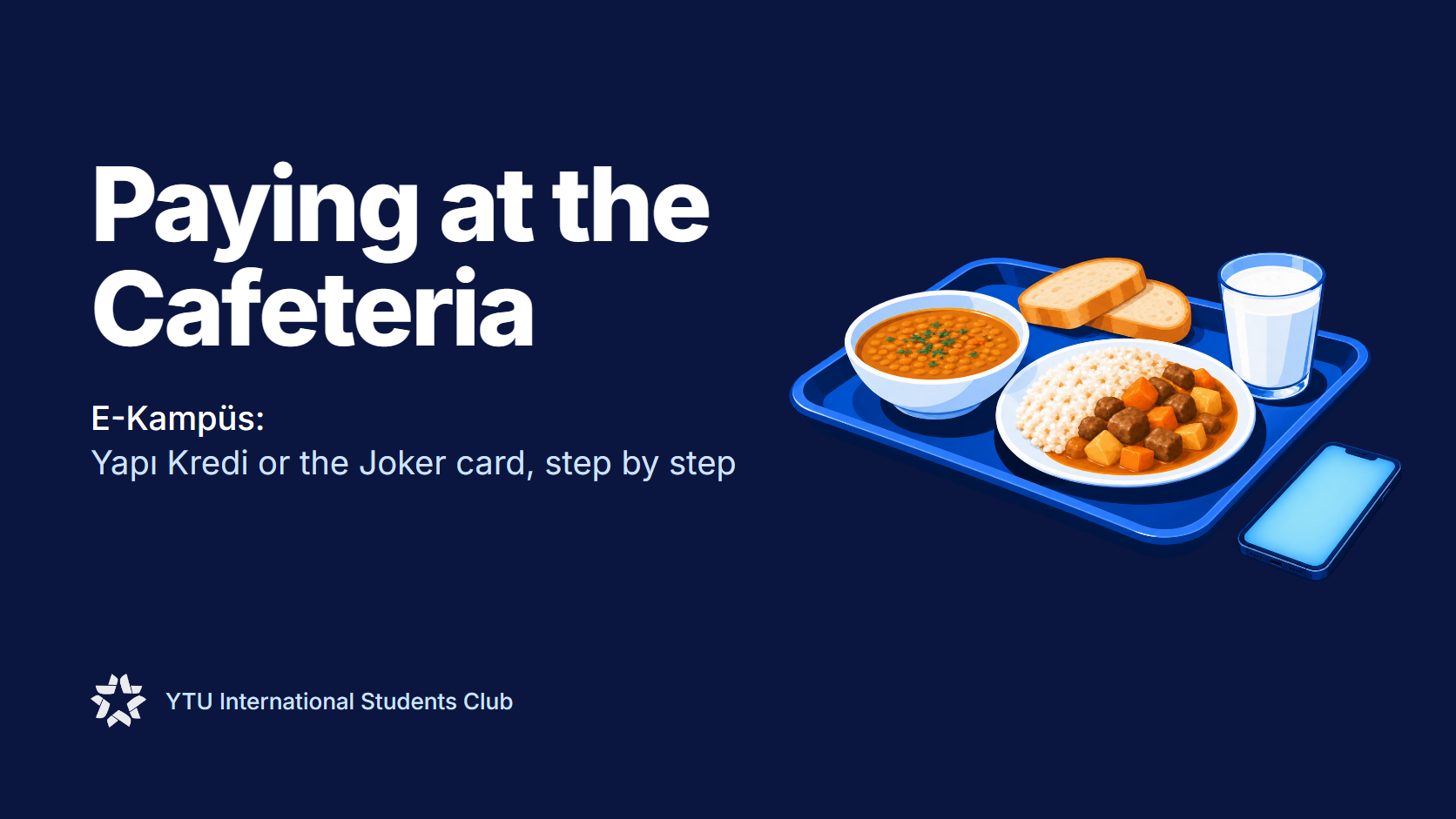
Since 16 February 2026, YTÜ uses a new payment system called E-Kampüs, run with Yapı Kredi and Etisan.
- It works at the cafeterias (yemekhane), the swimming pool and the fitness centre on both the Davutpaşa and Yıldız (Beşiktaş) campuses.
- You pay by scanning a QR code with your phone, or by tapping a Yapı Kredi card.
- The old system and the Soliclub / SoliPay app no longer work. E-Kampüs is now the only way to pay.
🔀 Which Option Is for You?
| Yapı Kredi account | Joker card | |
|---|---|---|
| Who it’s for | Anyone who can open a Yapı Kredi account | Students who can’t open a Yapı Kredi account |
| How you pay | QR code in the Yapı Kredi app, or your Yapı Kredi card | The card itself |
| How you add money | Your account balance | Top it up online at yukle.al |
| Every 5th meal free | ✅ Yes | ❌ No |
If you can, go with Yapı Kredi: it’s free and you get the meal refund.
🏦 Option 1: Yapı Kredi
Step 1: Open an account
Yapı Kredi has set up desks in the cafeteria buildings and faculties on campus, but international students usually can’t open an account at these desks. Instead, you can:
- Use the mobile Yapı Kredi branch (a van) that sometimes parks in front of the cafeteria (yemekhane), or
- Go to a Yapı Kredi branch off campus.
Either way, there is no card fee and no account fee for accounts opened for E-Kampüs.
Bring your passport, your residence permit (ikamet) if you have one, and a student certificate (öğrenci belgesi, from e-Devlet). The desk will tell you if they need anything else.
Then install the Yapı Kredi Mobil app and sign in.
Step 2: Activate E-Kampüs in the app
- On the home screen, scroll down to Benim Dünyam and tap World PAY.
- Tap NFC / Mobil Ödeme Ayarları.
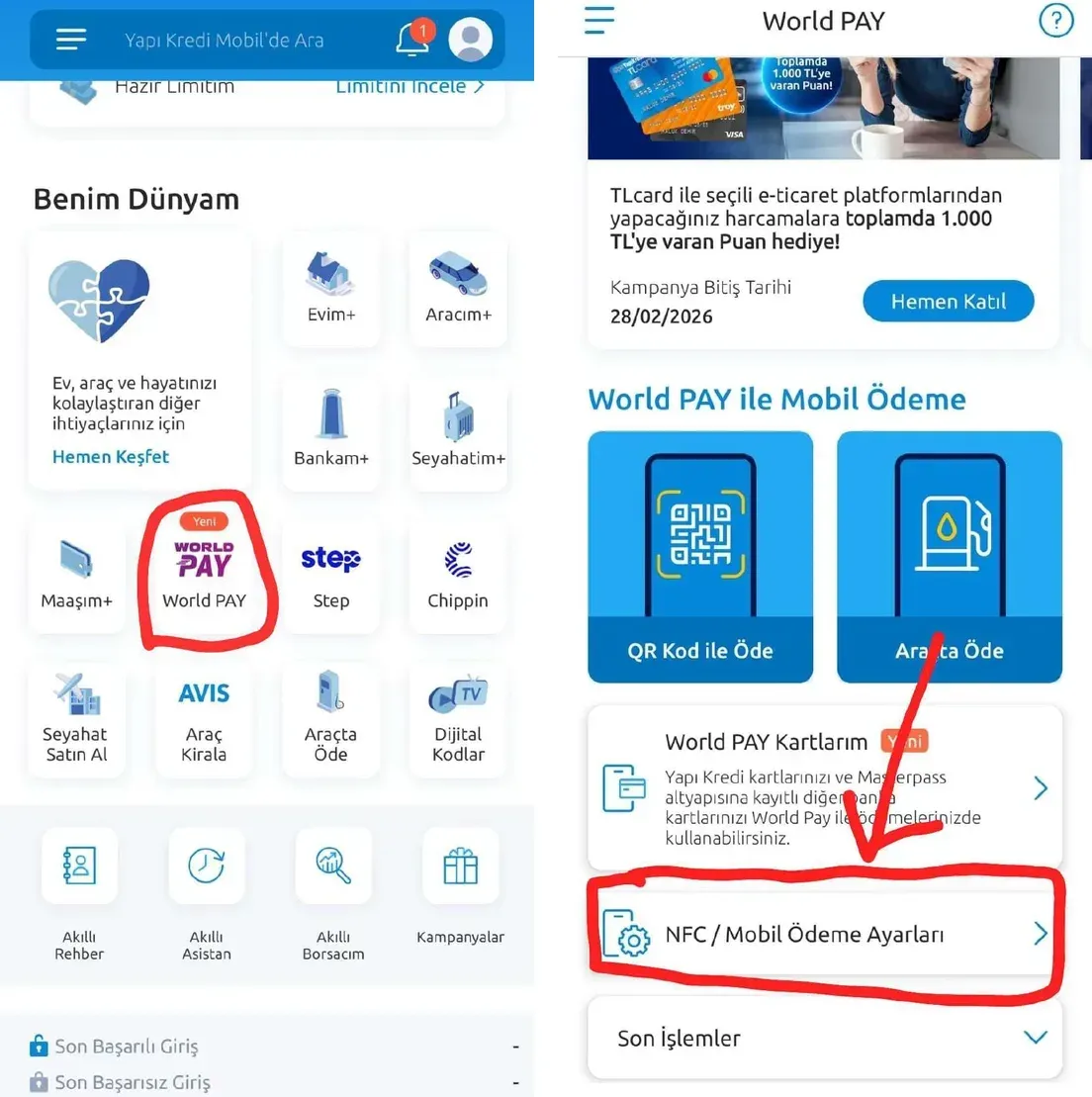
- Tap E-Kampüs Aktivasyonu.
- Check the account that will be used, turn on the consent switch at the bottom, and tap Devam.
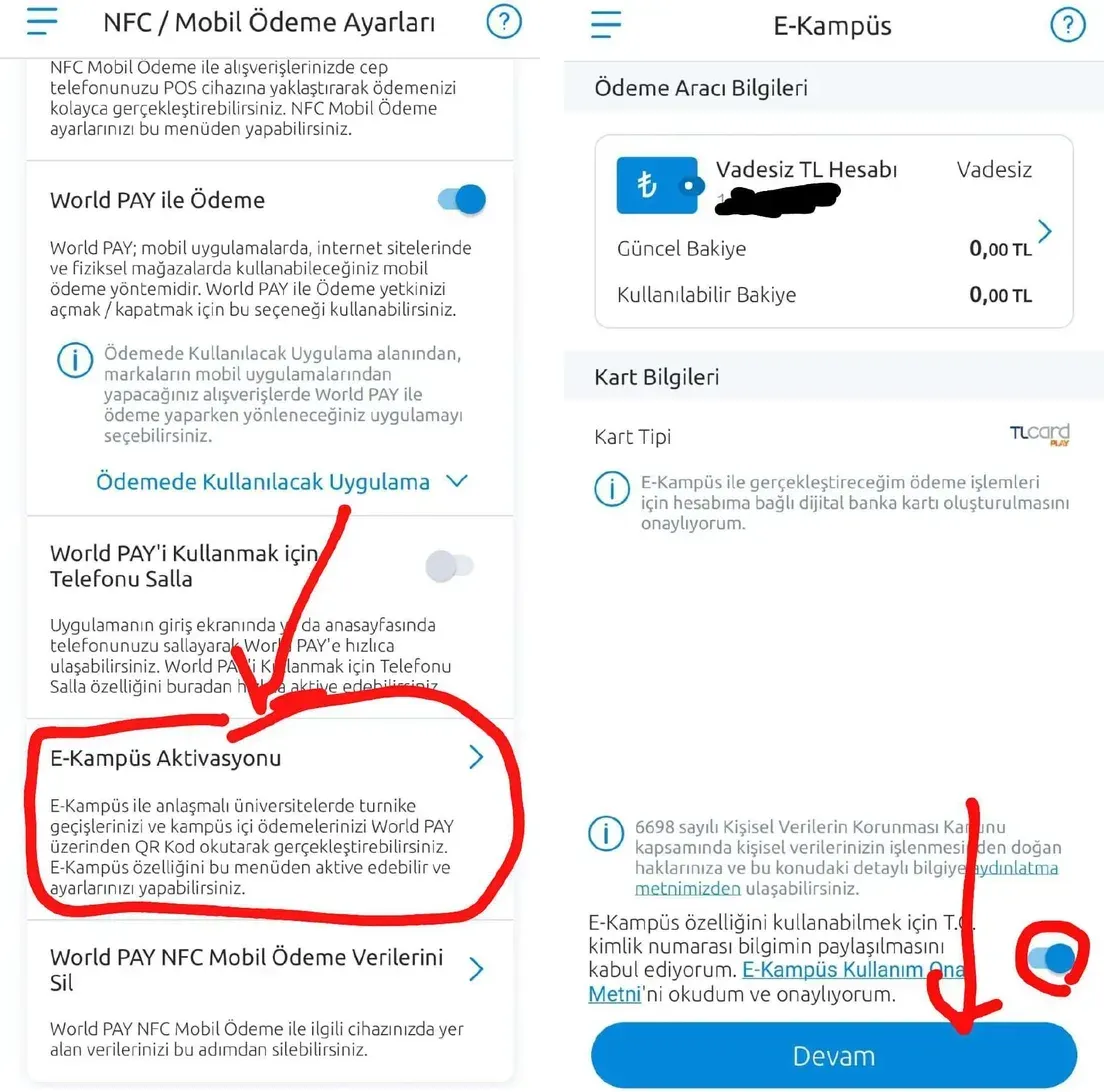
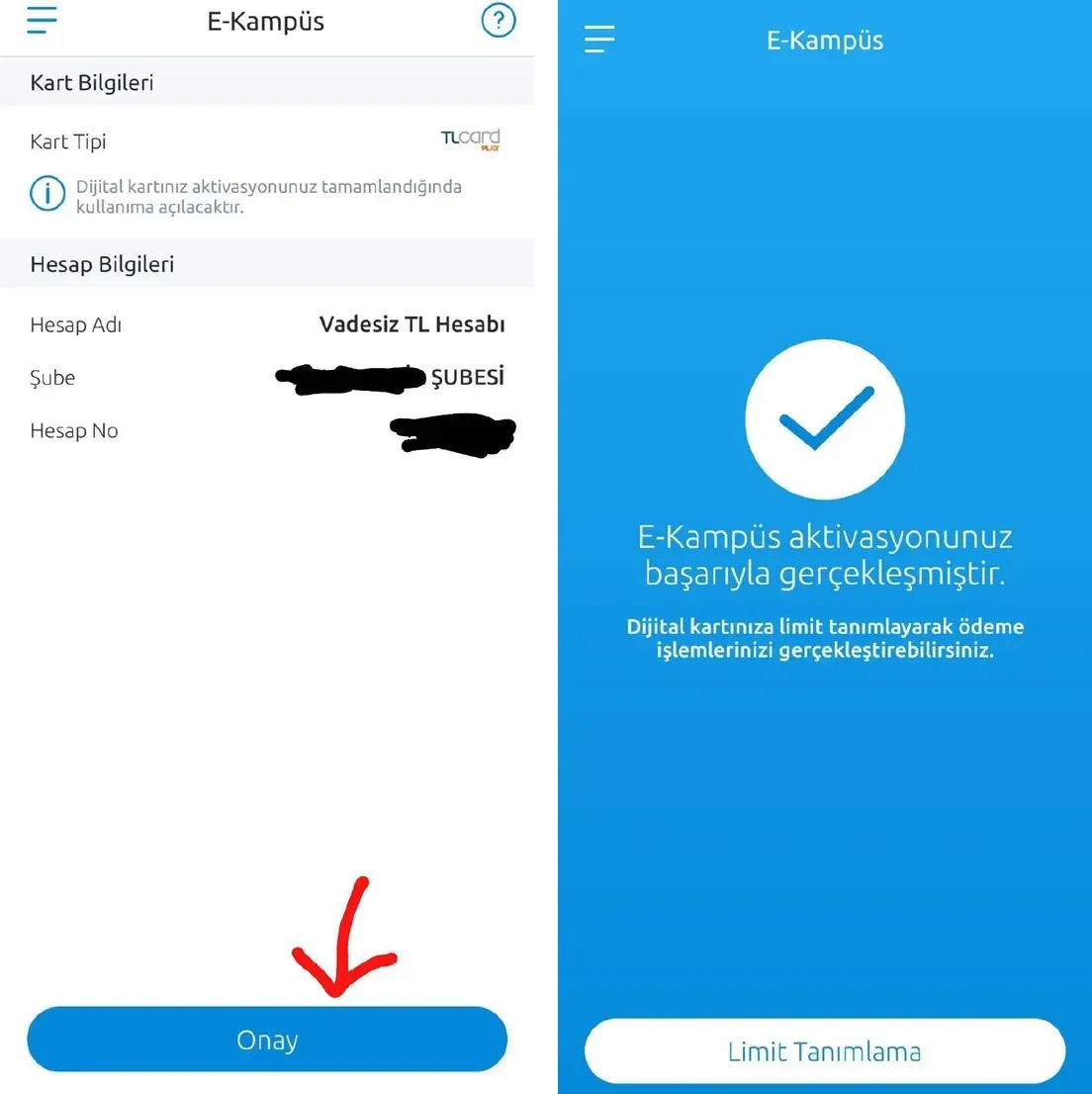
- Check your account details and tap Onay.
- You’ll see “E-Kampüs aktivasyonunuz başarıyla gerçekleşmiştir”. Tap Limit Tanımlama and set a spending limit on your new digital card. Payments go through the card only once it has a limit.
Step 3: Pay
At the cafeteria, open World PAY, choose QR Kod ile Öde, and scan the QR code on the screen at the till. Make sure there is money in your account.
You can also pay with a physical Yapı Kredi card, or through the World Mobil app.
🎁 Every fifth meal free
When you pay for cafeteria meals with Yapı Kredi through E-Kampüs, 1 in every 5 meals is refunded to your account, which is a 20% discount.
- The campaign runs in 3-month periods, so you have to join again every 3 months through Yapı Kredi’s channels.
🃏 Option 2: The Joker Card
If you can’t open a Yapı Kredi account, you can use a Joker card (an Etisan E-Kampüs card) instead.
Where to get it
Go to the cafeteria building (yemekhane). The Joker card office is beside the bookstore inside it. Take your student ID or passport with you.
How to top it up
- Go to yukle.al.
- Under Yükleme Türü, choose Etisan E-Kampüs Kart’a Yükle.
- Enter your card number, complete the security check, and accept the KVKK (privacy) notice.
- Tap DEVAM ET, enter the amount, and pay with a debit or credit card.
Note: The every 5th meal free campaign is only for payments made with Yapı Kredi.
🤝 Askıda Yemek (Suspended Meals)
Through the Etisan Foundation, 10,000 free meals a year go to students in need. Ask the Health, Culture and Sports Office (SKS) how to apply.